AI Agent
Tell the agent what to do
Local agent
Local
GPT-5.4
Medium
Reads
skill.md, receipts, invoices, statements
Outputs
Entries, reconciliations, and workflow actions
For small businesses, where AI agents post, reconcile, and organize real bookkeeping work.
Read https://vibooks.ai/skill.md and follow instructionsFree 7-day trial on Personal.
See PricingUse your own agent. Review before posting. Not tax filing software.
How it works
Put your bookkeeping materials in one directory, tell the agent to work through that folder, and let Vibooks record the bookkeeping.
AI Agent
Reads
skill.md, receipts, invoices, statements
Outputs
Entries, reconciliations, and workflow actions
Vibooks
01
Keep bills, invoices, receipts, and statements in a single directory.
02
The agent reads the materials and records the bookkeeping in Vibooks.
03
Entries, reconciliations, and follow-up actions land in the real workflow, with controls when needed.
Why Vibooks
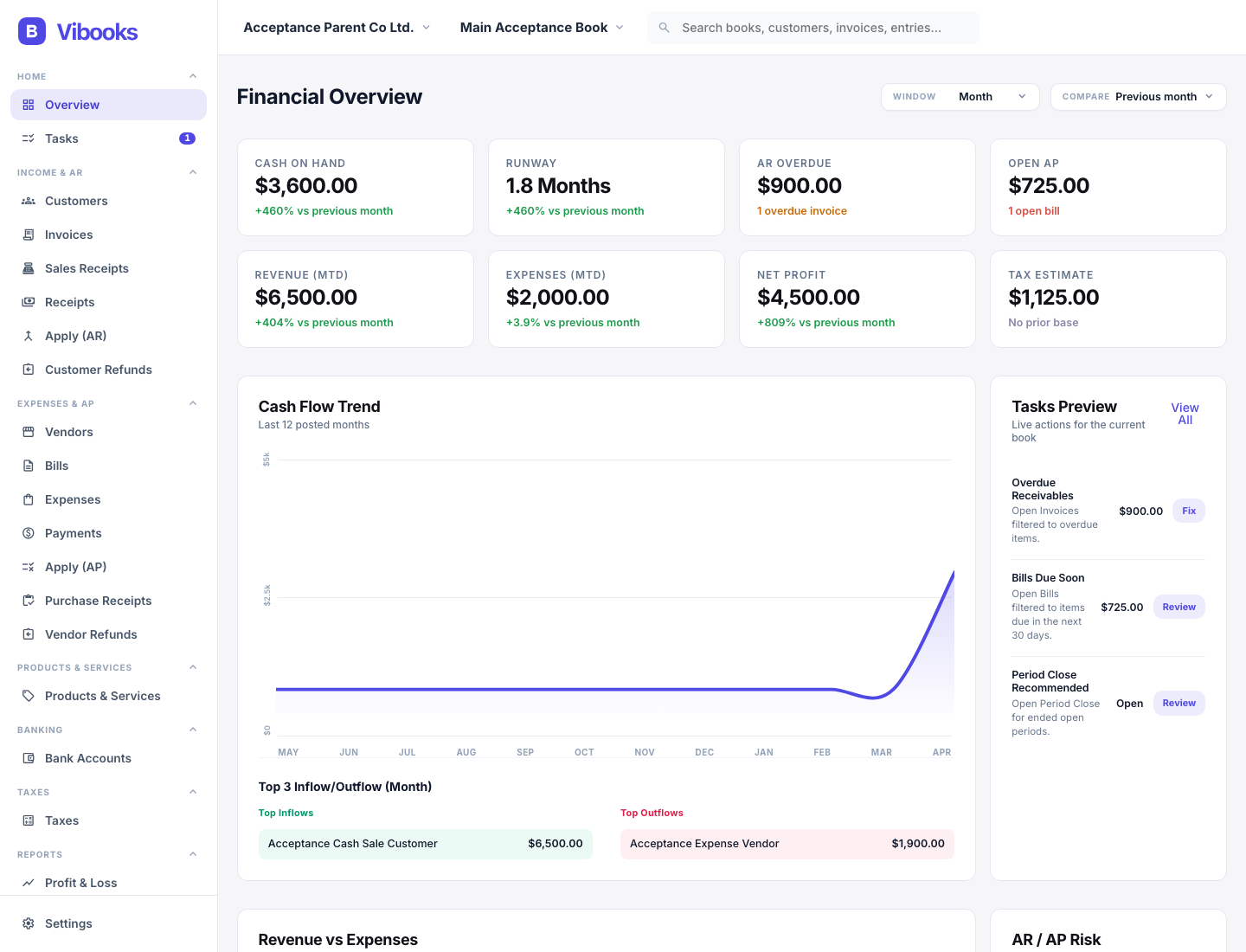
Vibooks combines mainstream bookkeeping workflow coverage with an official agent-ready surface, without giving up reviewability, auditability, or local control.
Invoices, bills, receipts, sales receipts, purchase receipts, payroll runs, and asset events stay tied to the books instead of being flattened into generic automation.
Reconciliation state, attachments, audit history, period controls, and optional approvals stay visible where the bookkeeping actually happens.
Keep books on your device by default, move them with backup and portable import/export, and use the official API, CLI, and skill docs with your own agent.
What you can do
Vibooks already covers the bookkeeping workflows small businesses and bookkeepers expect, then adds an official agent-ready surface on top.
Manage customers, invoices, sales receipts, receipts, AR application, and customer refunds with source-linked postings and open balances.
Manage vendors, bills, expenses, payments, AP application, purchase receipts, and vendor refunds from draft through posting.
Track bank and card accounts, statement lines, settlements, transfers, deposits, and reconciliation runs with traceable register activity.
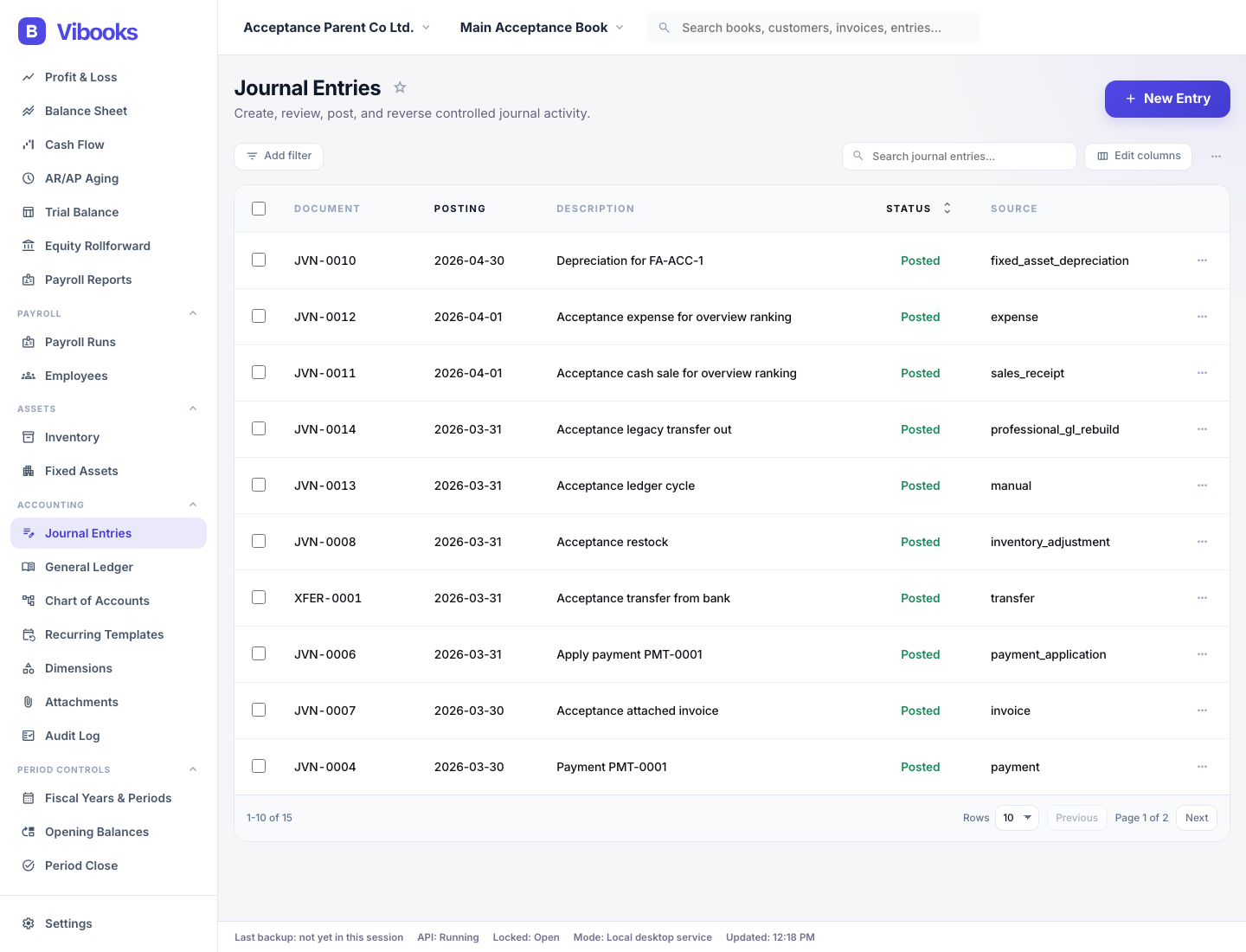
Run inventory movements, payroll journals and payroll reports, and fixed-asset depreciation or disposal events inside the books.
Maintain tax codes, prepare tax returns and postings, run financial and aging reports, and manage fiscal periods, opening balances, and period controls.
Keep attachments and audit history, use dimensions, presets, recurring templates, and source-aware recognition schedules, and add approval, backup, import/export, and agent workflows through the official API and CLI.
Support boundary
Vibooks is designed for general post-facto bookkeeping use across many jurisdictions, with multi-currency books, tax workflows, FX remeasurement, and period-end controls.
Industries
Also well suited to marketplace sellers and short-term rental bookkeeping.
Summary workflows
A good fit when books are closed from summaries, settlements, receipts, payments, and reconciliations.
Geography
Built for tax workflows, FX remeasurement, and period-end controls across a wide range of markets.
Comparison
Vibooks keeps the bookkeeping core intact, expands into the workflows small businesses actually use, and makes the whole surface programmable for agents.
Vibooks
Core GL, AR/AP, banking, tax workflows, reporting, payroll, inventory, fixed assets, and period controls in one desktop bookkeeping product.
Typical mainstream products
Coverage varies, and non-core workflows often live across separate cloud modules or add-ons.
Vibooks
Invoices, bills, receipts, sales receipts, purchase receipts, refunds, payroll runs, and asset events keep source records tied to the ledger.
Typical mainstream products
Often strong on forms, but AI or automation layers may sit beside the books instead of inside first-class source workflows.
Vibooks
Attachments, audit log, reconciliation state, period controls, and optional approval controls stay visible in the bookkeeping workflow.
Typical mainstream products
Controls are often split across admin tooling, external docs, or higher-tier governance products.
Vibooks
Local-first books by default, plus backups and portable import/export for moving or recovering a book.
Typical mainstream products
Books usually live in the vendor cloud, with portability and restore options shaped by the vendor platform.
Vibooks
Official local API, CLI, and public skill docs let you connect your own agent to real bookkeeping actions.
Typical mainstream products
Automation is often centered on built-in assistants, closed integrations, or browser-layer workarounds.
Vibooks
Built as bookkeeping software first: traceable postings, professional workflows, data ownership, and no claim to replace POS, PMS, or front-office systems.
Typical mainstream products
Accounting is often one module inside a broader operations suite.
| Dimension | Vibooks | Typical mainstream products |
|---|---|---|
| Operational coverage | Core GL, AR/AP, banking, tax workflows, reporting, payroll, inventory, fixed assets, and period controls in one desktop bookkeeping product. | Coverage varies, and non-core workflows often live across separate cloud modules or add-ons. |
| Source-aware workflows | Invoices, bills, receipts, sales receipts, purchase receipts, refunds, payroll runs, and asset events keep source records tied to the ledger. | Often strong on forms, but AI or automation layers may sit beside the books instead of inside first-class source workflows. |
| Evidence and controls | Attachments, audit log, reconciliation state, period controls, and optional approval controls stay visible in the bookkeeping workflow. | Controls are often split across admin tooling, external docs, or higher-tier governance products. |
| Portability and recovery | Local-first books by default, plus backups and portable import/export for moving or recovering a book. | Books usually live in the vendor cloud, with portability and restore options shaped by the vendor platform. |
| Use your own agent | Official local API, CLI, and public skill docs let you connect your own agent to real bookkeeping actions. | Automation is often centered on built-in assistants, closed integrations, or browser-layer workarounds. |
| Product stance | Built as bookkeeping software first: traceable postings, professional workflows, data ownership, and no claim to replace POS, PMS, or front-office systems. | Accounting is often one module inside a broader operations suite. |
Pricing
Choose the plan that matches how you manage your books. Personal includes a free 7-day trial. Small Business adds the Dimensions and Industry Presets modules for smoother operating workflows. Tax workflows cover rates, codes, summaries, and postings, not tax filing.
59 USD/ year
Launch pricing
For one business that needs core bookkeeping, banking, fixed assets, inventories, tax workflows, and the generic SMB preset.
Best for
99 USD/ year
Launch pricing
For operating businesses that need the Dimensions and Industry Presets modules, grouped reporting, payroll, backup, and import/export.
Best for
299 USD/ year
Launch pricing
For bookkeepers and firms managing more clients with approval controls, tax workflows, and higher capacity.
Best for
FAQ
Vibooks covers general ledger, chart of accounts, journal entries, customers, vendors, invoices, bills, sales receipts, purchase receipts, receipts, payments, refunds, settlements, banking, reconciliation, tax workflows, reports, payroll, inventory, fixed assets, dimensions, presets, and period controls. Dimensions and grouped reporting depend on the Dimensions module. Advanced industry presets depend on the Industry Presets module.
Today, the Vibooks product is local-first desktop software. Your books stay on your own device by default, and Vibooks connects to our server only for licensing, billing flows, and software updates.
Yes. Vibooks exposes an official local API, CLI, and public skill docs so you can connect your own agent to real bookkeeping workflows. AI is optional.
No. Vibooks is bookkeeping software. Restaurants and small lodging businesses can use Vibooks for summary-based post-facto bookkeeping with settlements, receipts or payments, dimensions, and reports, but Vibooks is not a POS, PMS, or front-office operations system.
Vibooks is designed for post-facto bookkeeping across many small-business workflows. It is a strong fit for services, SaaS, trade, e-commerce, marketplace sellers, and short-term rental bookkeeping. Restaurants, small lodging businesses, and multi-location or multi-channel operators are a fit when the work can be recorded from summaries, settlements, receipts, payments, and reconciliations rather than front-office systems.
Yes. Vibooks supports bank and card accounts, statement lines, transfers, deposits, register activity, and reconciliation runs for statement-backed balances.
Yes. Vibooks includes payroll runs and payroll reports, inventory items and movements, and fixed asset registers plus depreciation and disposal events. It is bookkeeping software, not a full HR suite or payroll tax filing service.
Yes. Applicable entitlements can use backup plus portable export and import to move or recover books without relying on a vendor-hosted ledger.
Vibooks is bookkeeping software. It supports tax rates, tax codes, tax summaries, tax postings, and tax return workflows, but it does not connect to tax filing systems or replace your accountant or tax professional.
Vibooks is designed for general bookkeeping use across many jurisdictions. It supports multi-currency books, tax codes, tax summaries, tax return workflows, FX remeasurement, and period-end controls, but it does not include tax-authority filing integrations, local payroll execution systems, or country-specific front-office operating software.
Personal includes core bookkeeping plus banking, fixed assets and inventories, tax workflows, and the generic SMB preset for 1 Company and 1 Book. Small Business adds more capacity plus the Dimensions and Industry Presets modules, grouped reporting, payroll, backup, and import/export. Bookkeeping Firm adds still more capacity plus approval controls and priority support.
Downloads
Start with your AI agent. If you are installing Vibooks yourself, choose your operating system below.
With an AI agent
Read https://vibooks.ai/skill.md and follow instructionsSend this prompt to your agent.
Install it yourself
Detecting your operating system.
brew install --cask vibooks-ai/tap/vibooksPrefer Homebrew? Install the same signed macOS app without opening the DMG manually.